
An endlessly evolving modular effects plug-in, designed to spark creativity.
A growing collection of creative effects for musicians and producers. 106 effects in 12 modules, more than 1,500 presets, 100 neural amp models, and interfaces you can make your own.


Overview
Presets
Every preset has its own handmade interface.
Hear your sound transformed through a wide range of treatments, each with its own vibrant, customizable design. Adjustments stay quick — the controls in front of you are the ones that matter for that patch.
More than 1,500 presets ship with Collage, and you can skin your own creations with hundreds of visual assets.

Edit mode
Don't let the childlike veneer fool you.
Each of Collage's 106 effects is the result of deep sound-design exploration. Some are imaginative twists on beloved classics; others push into new territory. All of them are carefully tuned to give musical results.
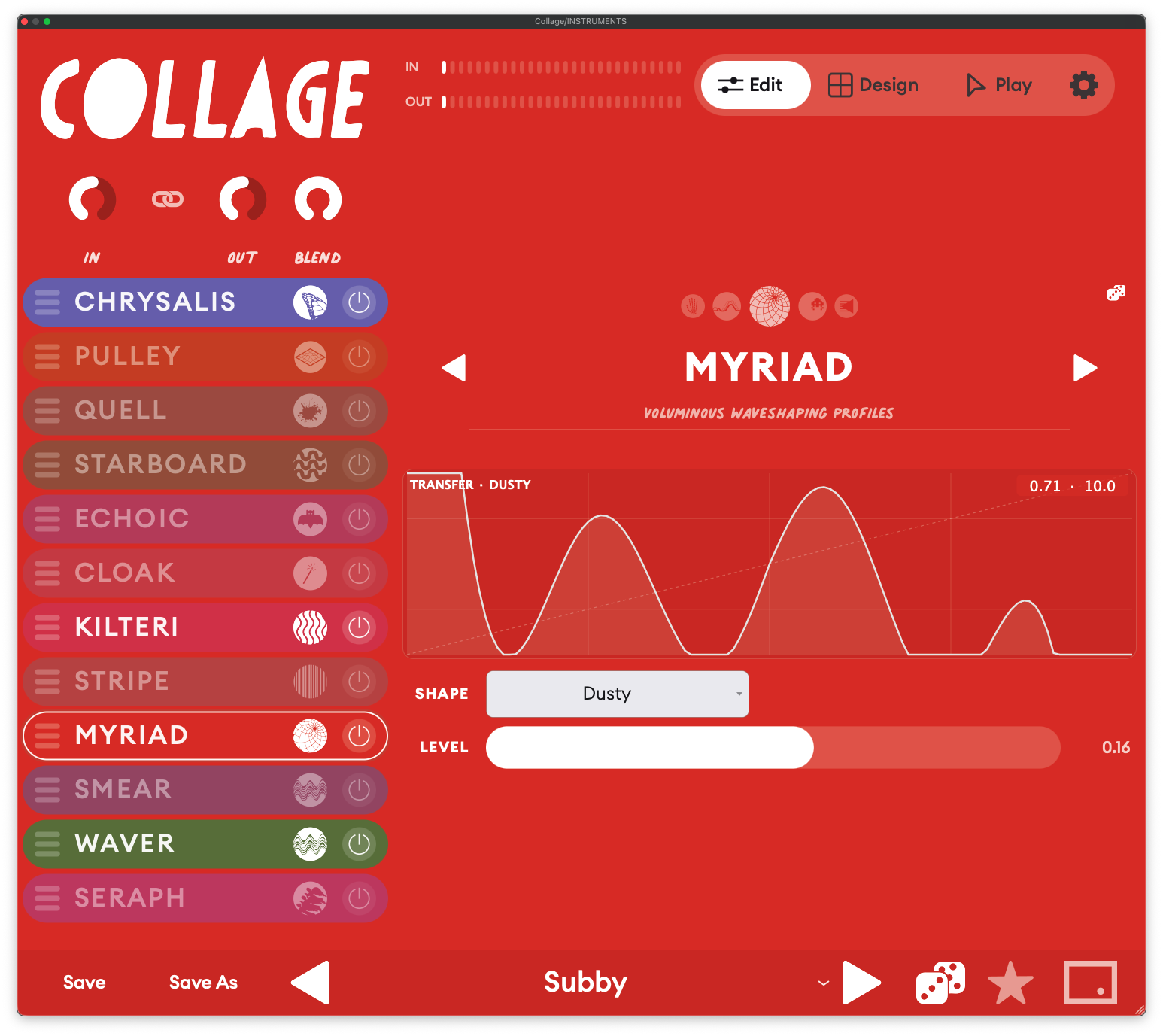
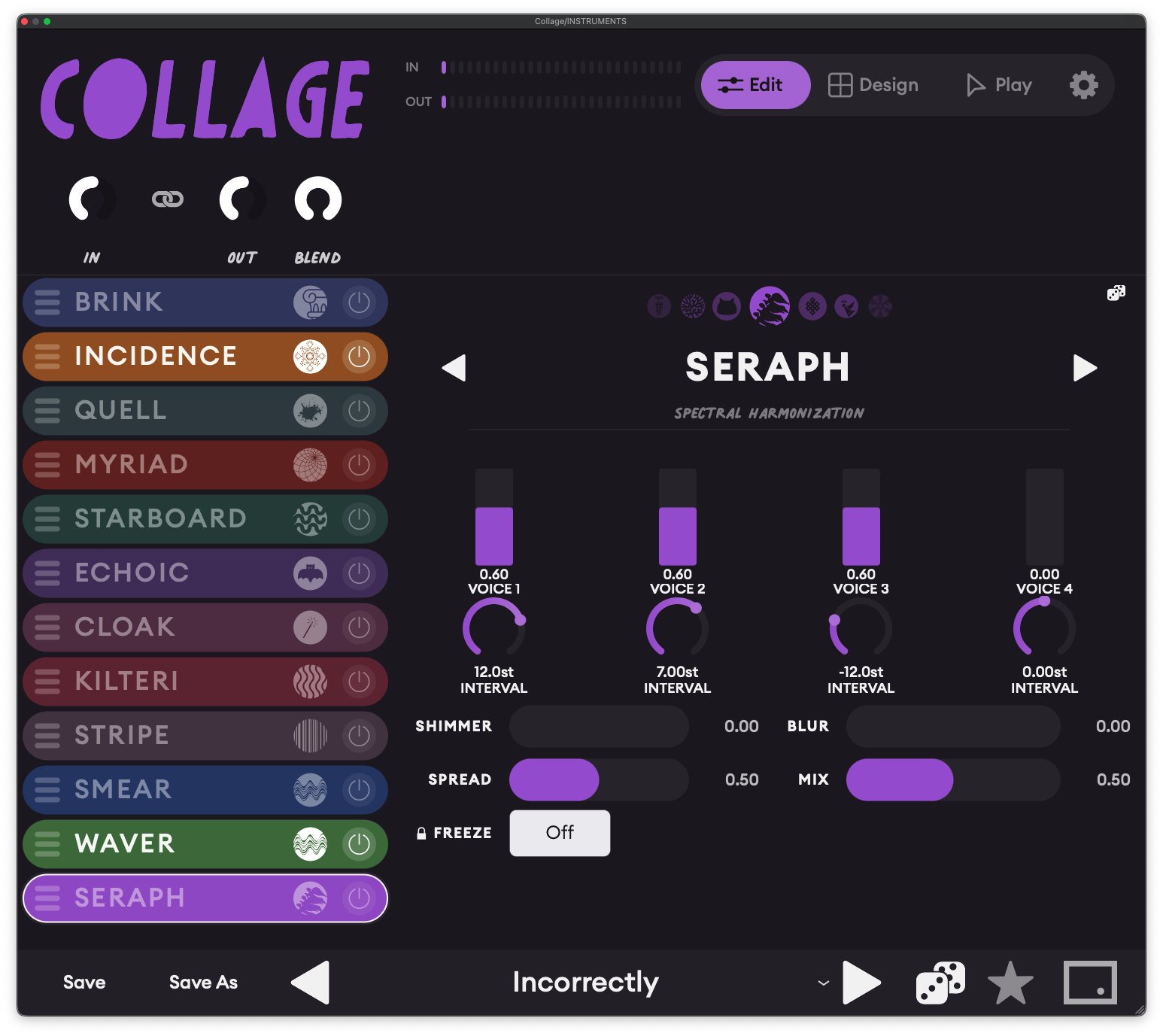
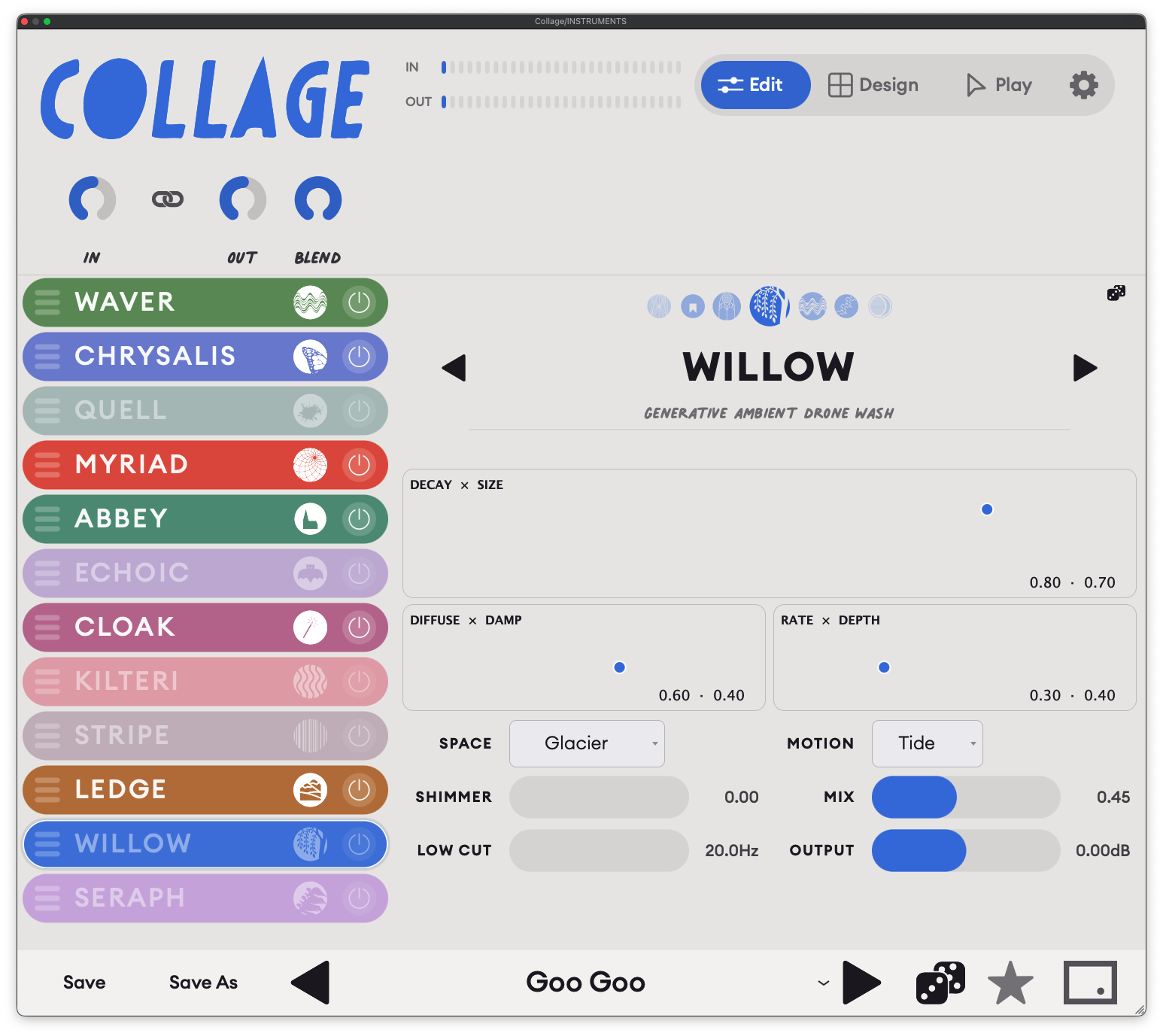
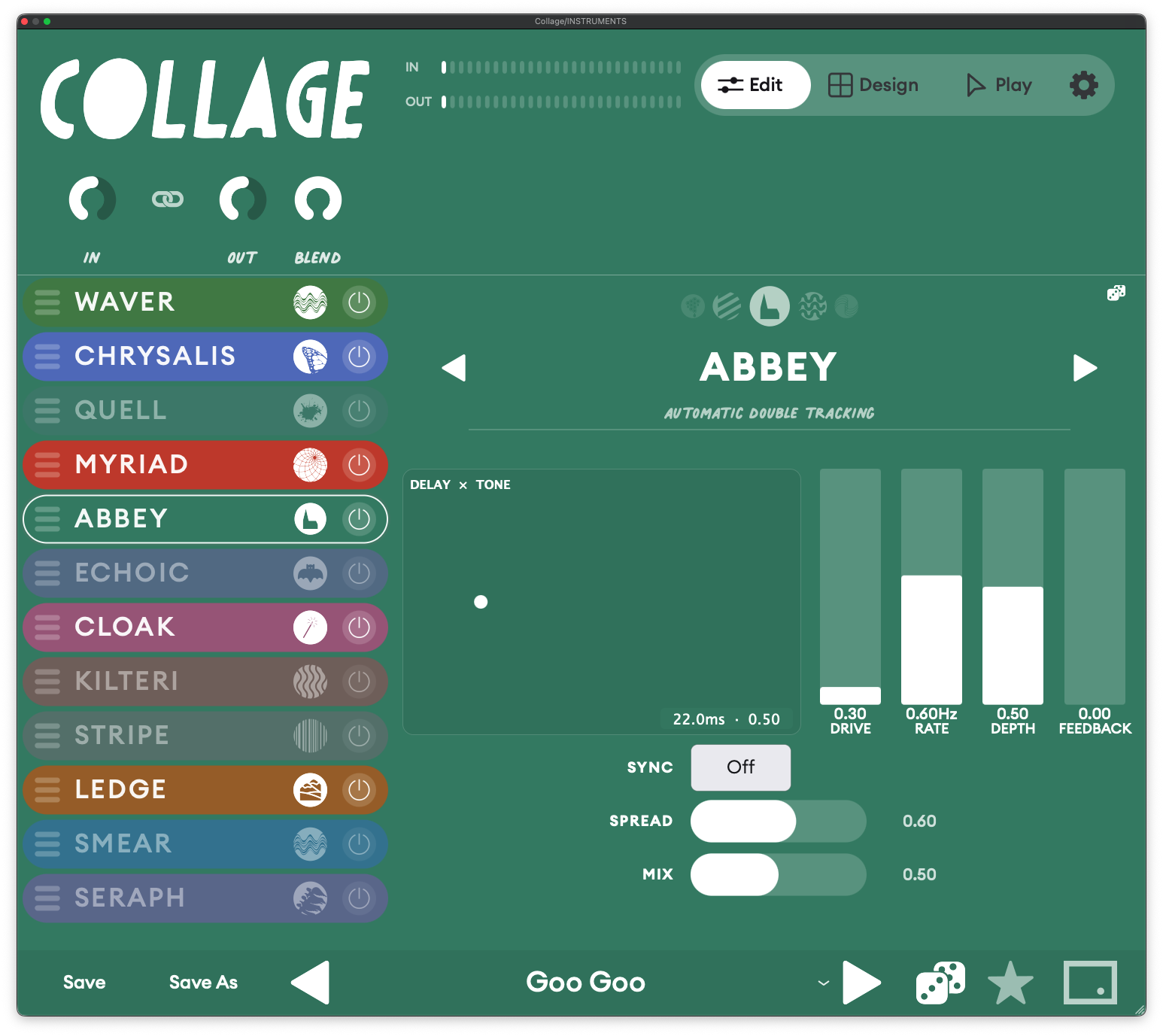
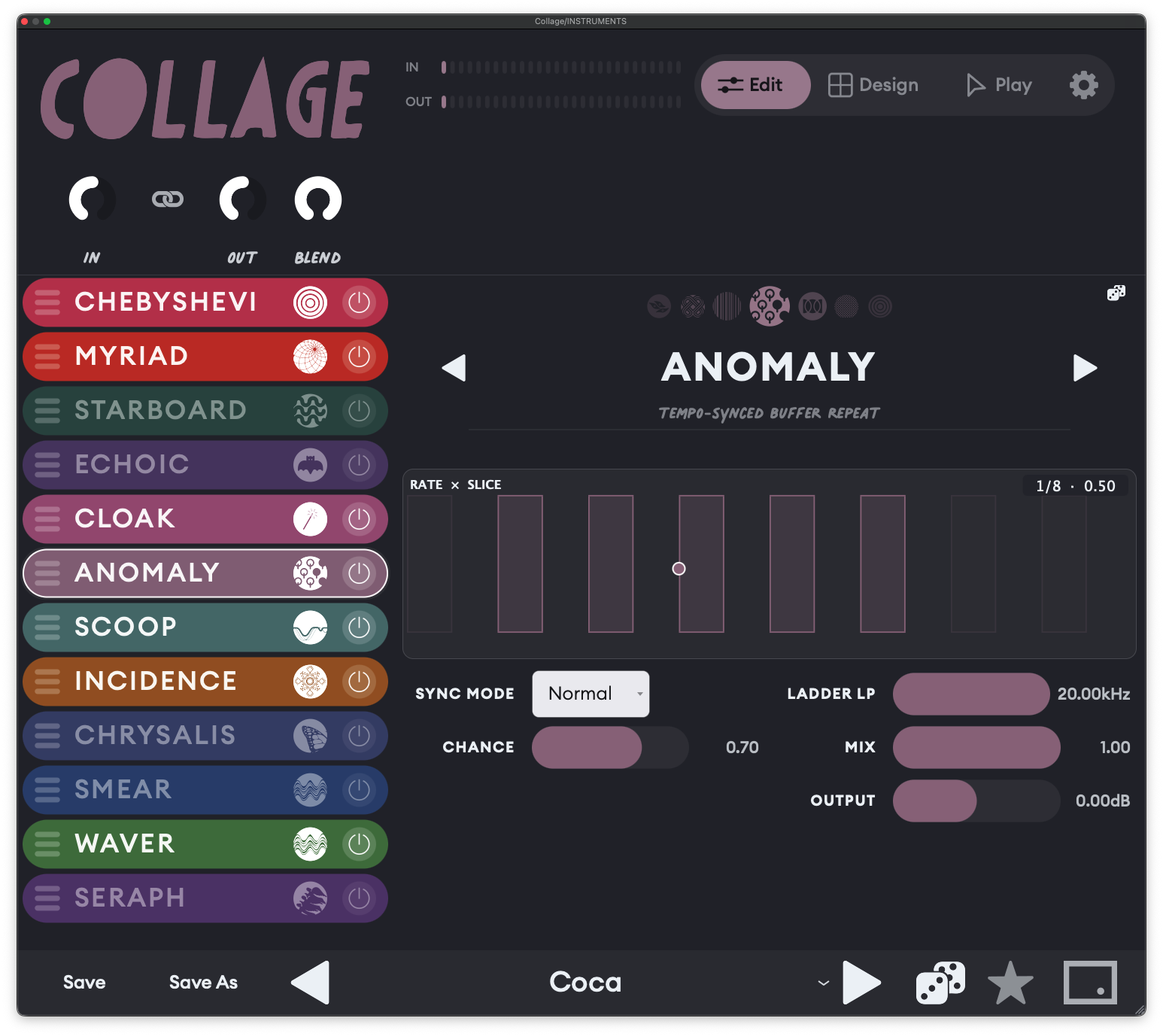
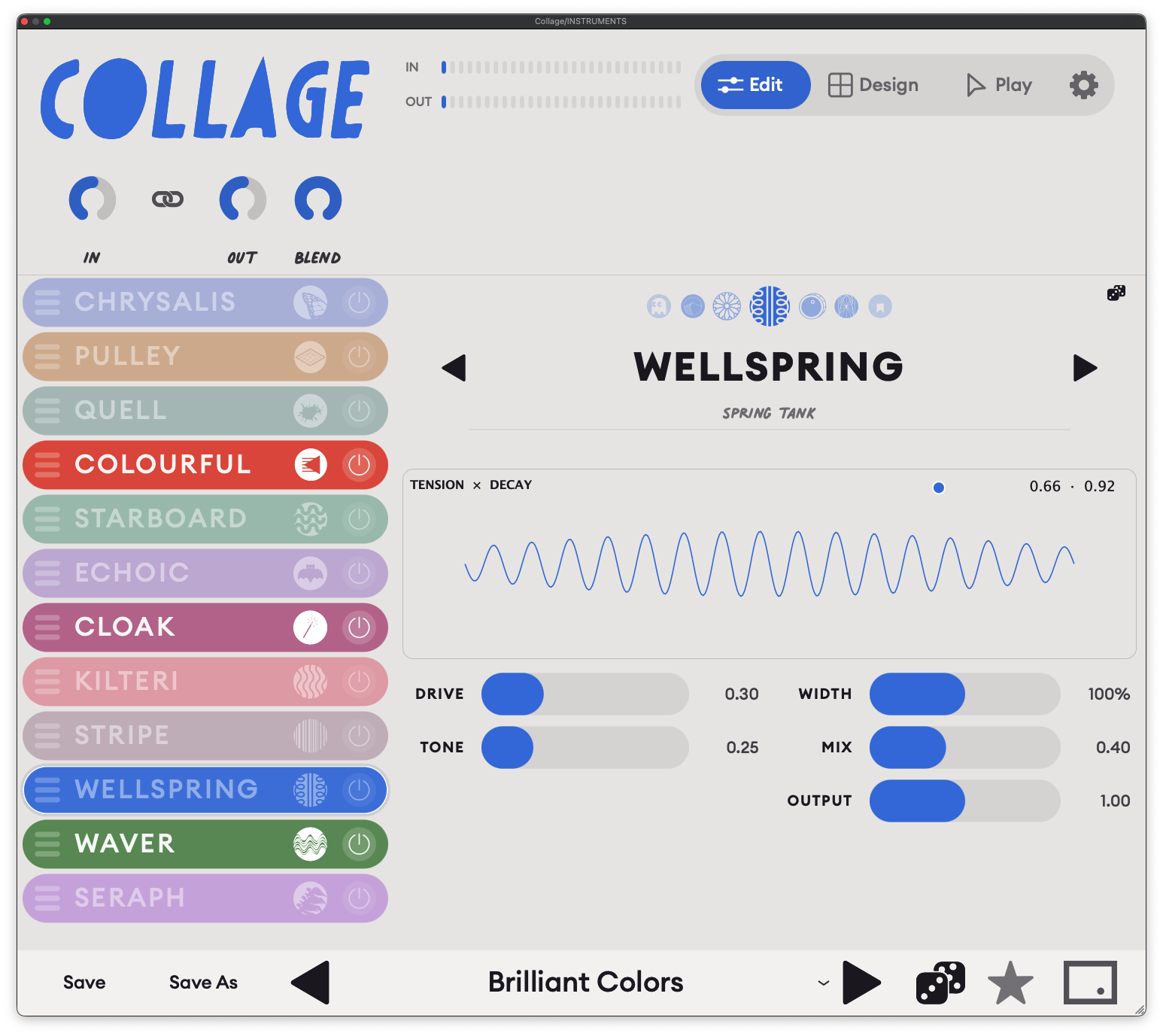
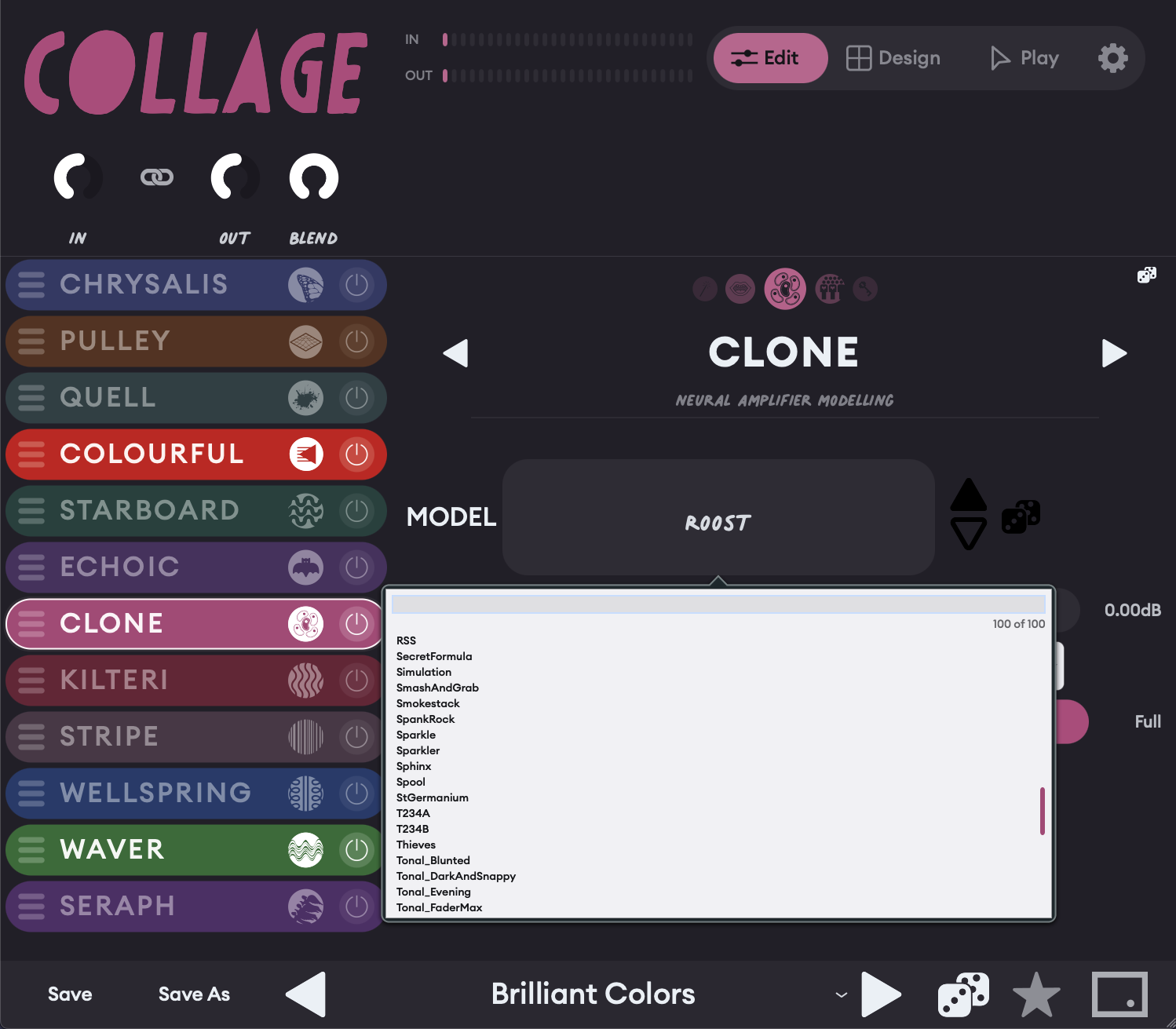
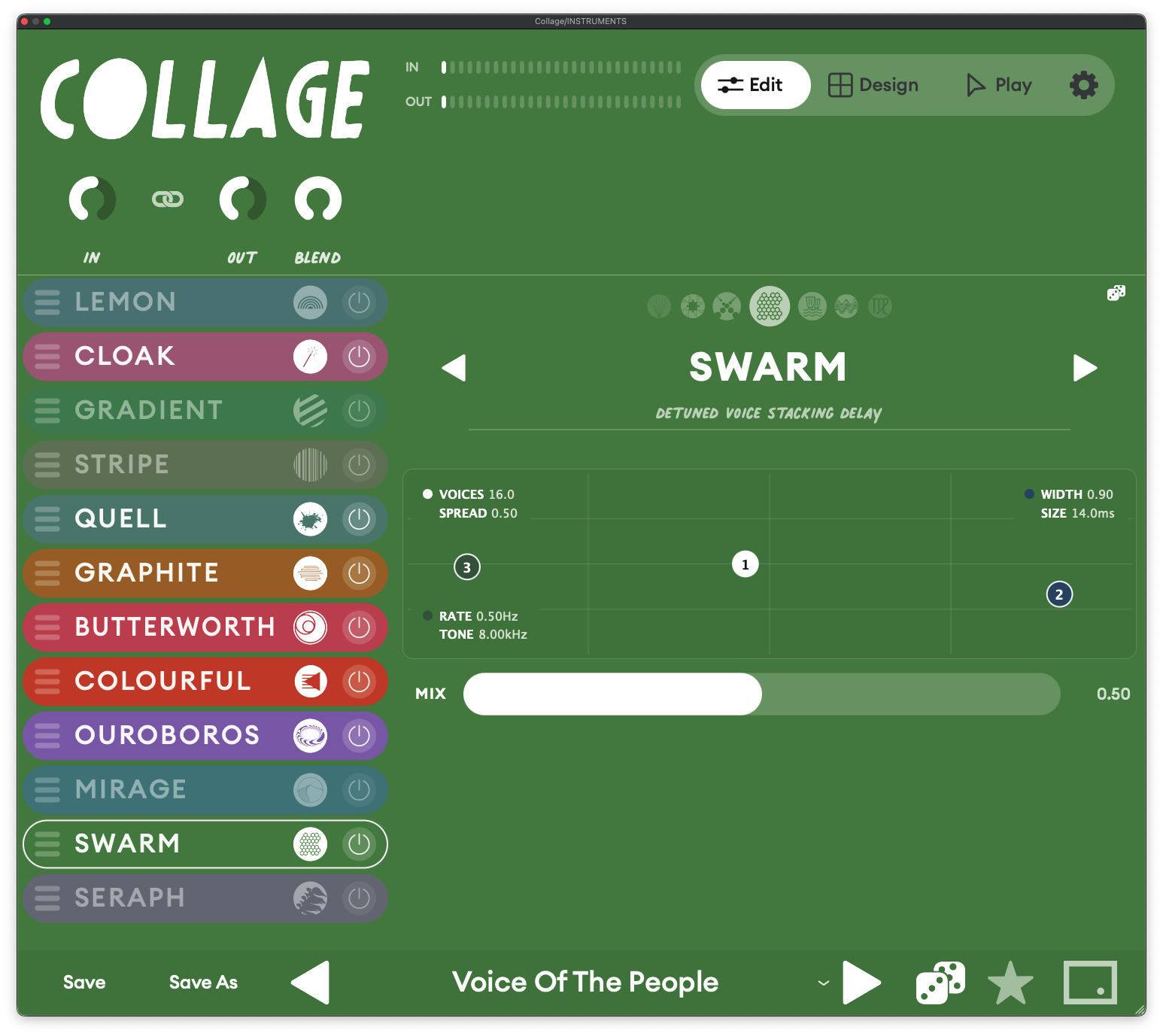
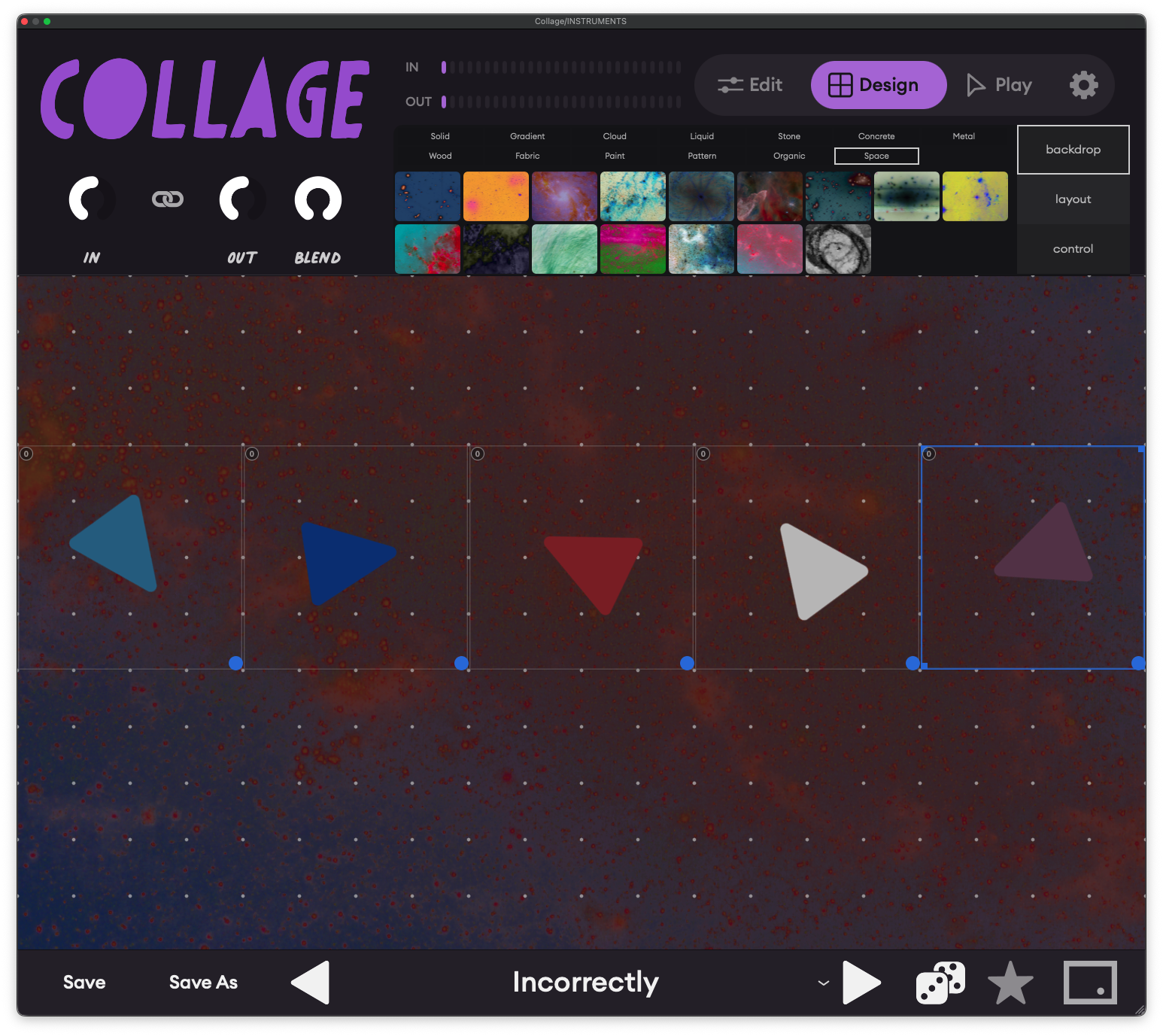
Build the interface you want to play.
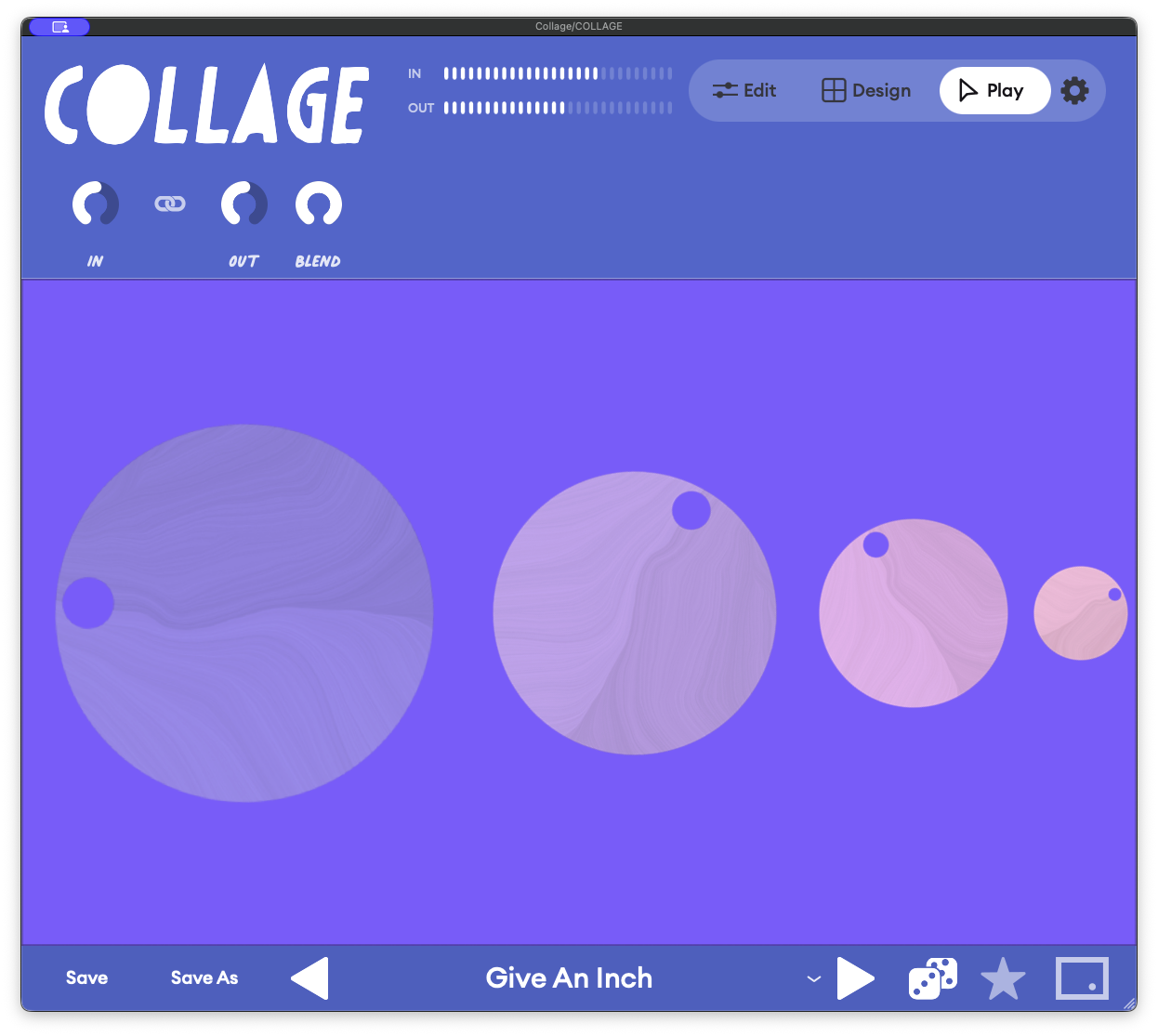
Quickly build a custom UI for a patch, or modify an existing one. Surface the most salient parameters, set the layout and the look, and save it with the preset.


Every parameter, in motion.
Collage's Morph pad blends a whole rack between states. Drag a single point to glide between versions of your sound, or switch on Wander and let it drift by itself. Morph changes the character of the sound, never your levels or your delay timing, so nothing jumps out of the mix or off the beat.


Jump between presets. Keep your hands on the knobs.
Macro controls map automatically from patch to patch, so MIDI knobs and faders always control what's on screen — no remapping. Each preset handles like a new piece of hardware.


Choose the look that’s right for you.
Choose a color treatment in Settings and the entire interface follows, from the rack and controls to the meters and buttons. From vibrant to muted, Collage brings tasteful color to a world of gray and black software.
Find the right sound fast.
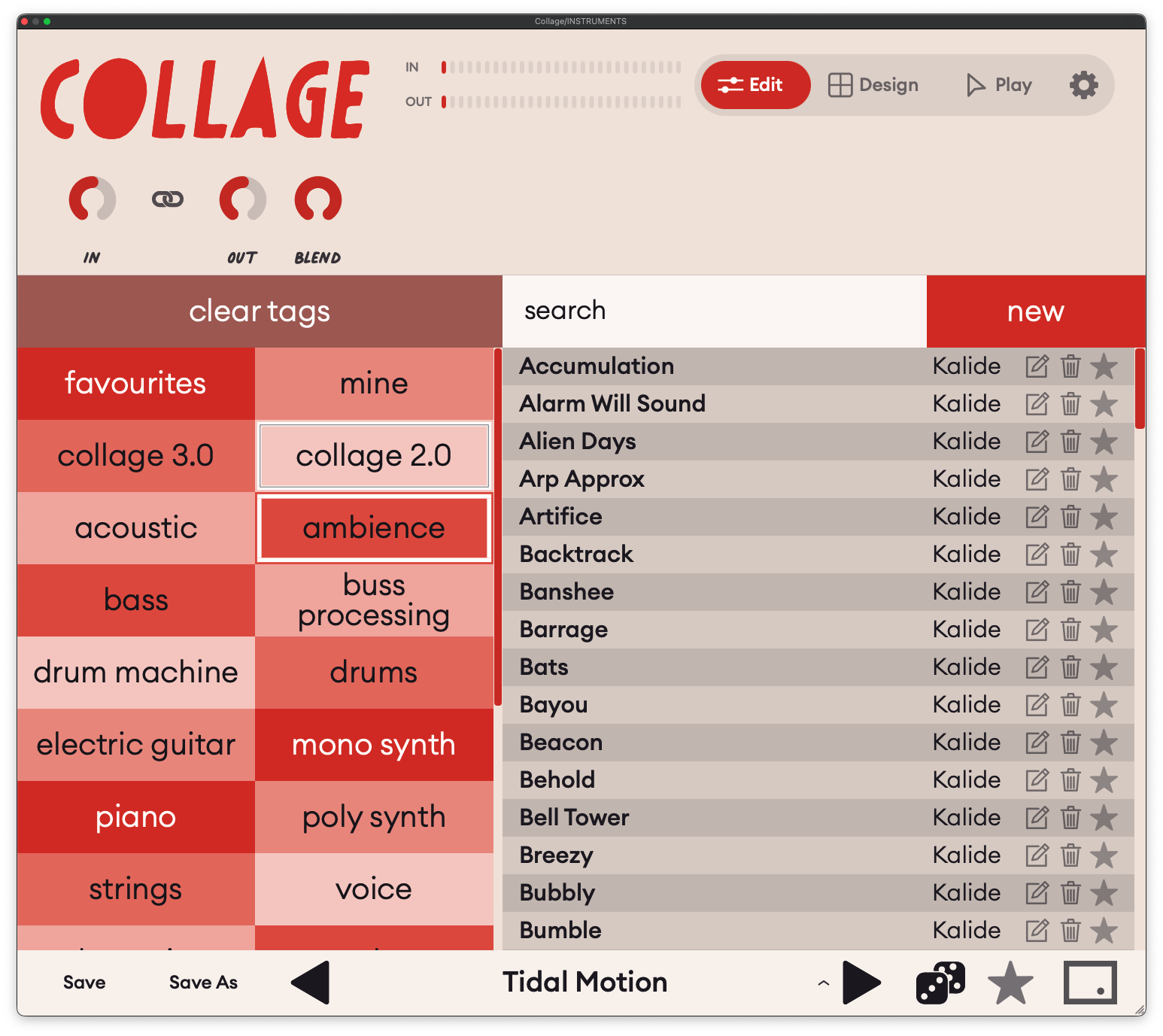
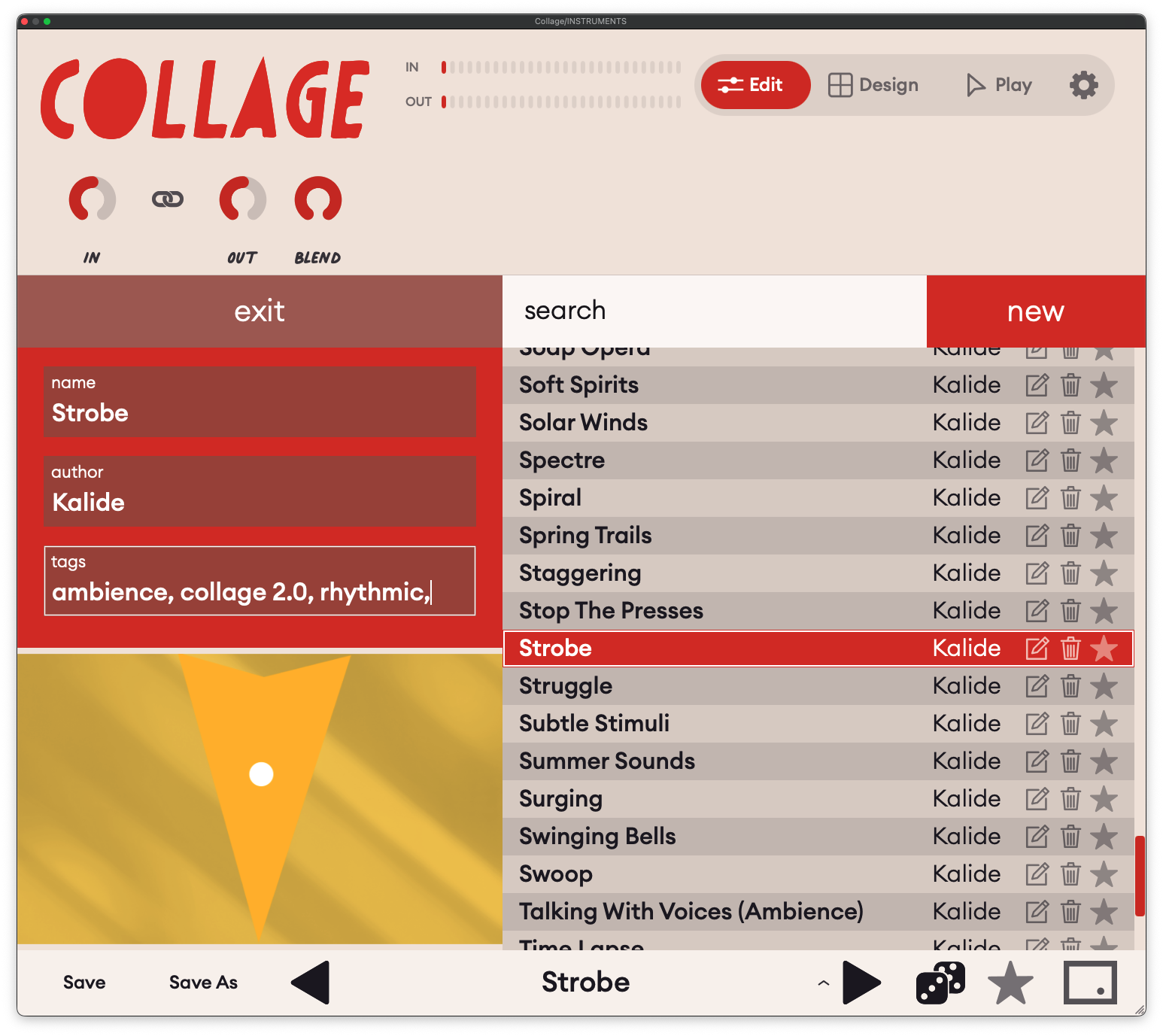
Filter the library by instrument, style or version with one tap on a tag, or search by name. Star the presets you love to keep them in Favourites, and find everything you've made under Mine. Give your own presets a name, an author and tags, and they're sorted right alongside the factory library.
In play
Morph, perform, record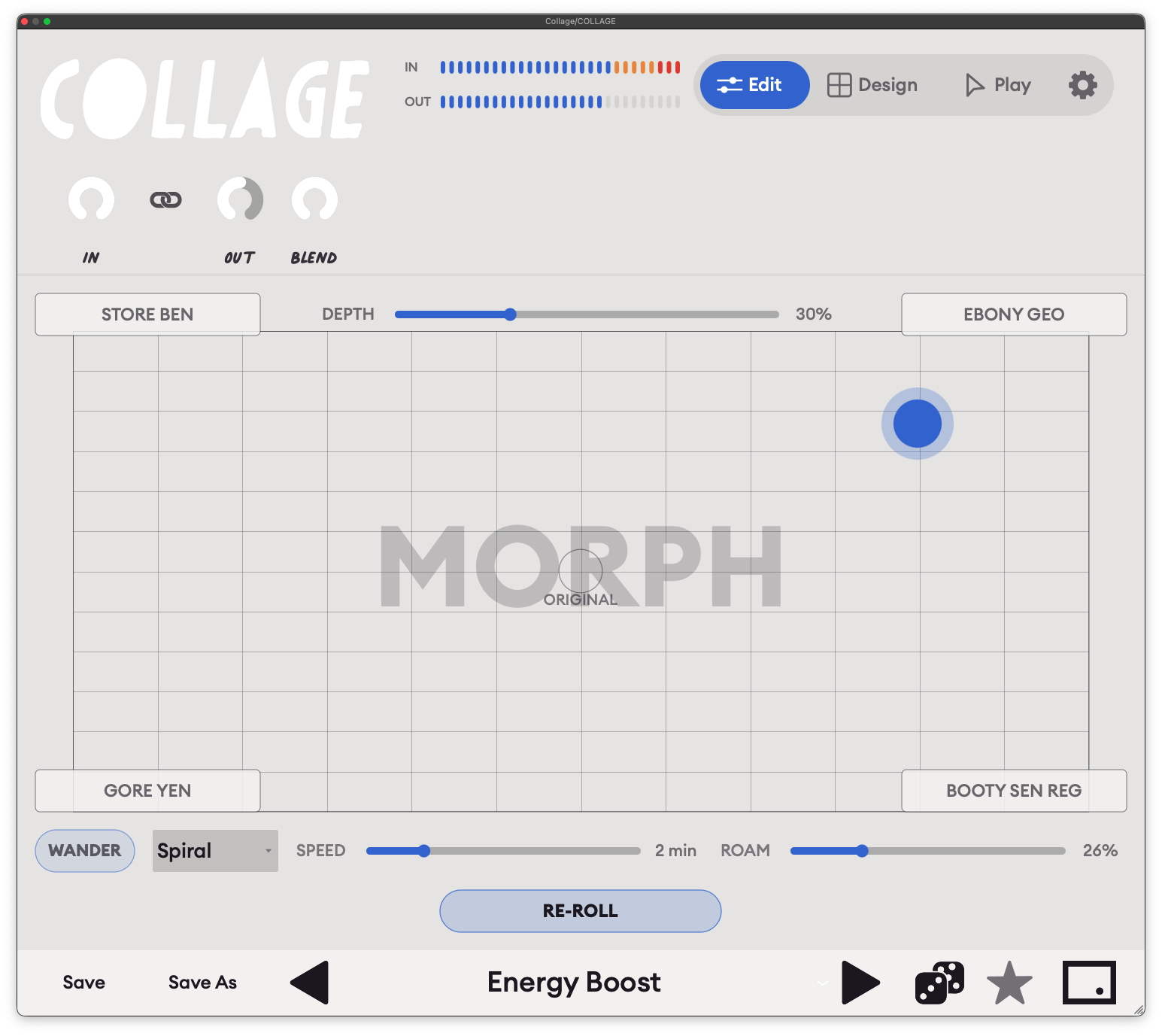


Walkthroughs
Full playlist on YouTube →Try free
14-day trialTry Collage free
Download Collage and install it. The first time you open it, choose start a free 14-day trial and sign in or create a free Kalide account in your browser. You get the whole of Collage for 14 days, nothing held back. Not ready to make an account? Choose Continue in demo mode instead: everything works, but the sound drops out for 2 seconds every 45 seconds until you activate. When you buy, the same installation unlocks. There's nothing to reinstall.
Already bought Collage 2.0? Download from your account, or contact us and we'll issue you a new license.
How to activate
Download and install for Mac or Windows.
Open the plugin in your DAW, or open the standalone app. The activation screen appears.
Press ACTIVATE IN BROWSER. Your browser opens Kalide’s store. Sign in or create a free account, then buy, rent to own, or start your free trial.
That’s it. The plugin unlocks by itself. No license key to copy or paste.
FAQ
How many effects are in Collage?
106, arranged in 12 modules. Each module is a family of effects: delays, reverbs, distortion, filters and so on. Each one holds between 5 and 19 effects you can swap in. Switch on the modules you want, pick an effect in each and drag them into any order. You’re not so much loading a plugin as building one.
What kind of music is it for?
Anything that comes out of a speaker. Collage is most at home wherever sound is meant to move and change, from ambient soundscapes and immersive film scores to patinaed garage rock and trunk-rattling hip-hop. But it’s just as happy being a tidy vocal chain.
How many presets does it come with?
If the idea of designing your own interface feels overwhelming, don’t worry. There are over 1,500 unique presets to explore from the get-go, so you can discover the sonic possibilities Collage has to offer.
What does the dice button do?
It deals you a whole new effect: new modules, new effects within them, new settings. Some rolls are instantly useful, some are glorious accidents. Found something you love? Lock it (Cmd-click on Mac, Ctrl-click on Windows) and keep rolling everything around it.
What’s the strangest thing in there?
Our shortlist:
- Lorenz, a delay driven by a chaos equation.
- Clone, cutting-edge neural-network saturation and dynamics.
- Oracle, a predictive glitch machine.
- Willow, an epic reverb that blooms into ambient drones.
- Copycat, which makes imperfect loops of whatever you feed it.
- Portis, a degraded filter modeled on classic sampler workstations.
- Bloom, an envelope shaper that turns transients into gentle swells.
They react to your sound in ways that are unpredictable while staying musical, perfect for catching lightning-in-a-bottle moments.
Can I really design my own interface?
Yes. On the Design page, place knobs, sliders and XY pads anywhere on the canvas. Link each control to as many parameters as you like, set its range and curve, and give it a name. Pick a backdrop and a control style, and it becomes your Play page: a one-of-a-kind instrument with only the controls you care about.
What does Morph do?
The Morph pad lets you glide between different versions of your sound by dragging a single point. Switch on Wander and it drifts by itself. Morph changes the character of the sound, never your levels or your delay timing, so nothing jumps out of the mix or off the beat.
Can I play it live, or with a MIDI controller?
Yes. Twenty macros are exposed to your DAW, ready to map to a MIDI controller or automate, and so are the Morph pad’s two axes. Ride one knob and the whole effect transforms.
Can things move by themselves?
Right-click any control to give it its own LFO, or an envelope follower that reacts to how loud you play. There are four global LFOs as well, and many of the effects carry their own motion. Most of the movement you’ll want is there before you reach for DAW automation.
Can I use it on a whole mix?
Yes. There’s a whole range of tonal shapers that add anything from a subtle to an extreme analog veneer. Use the master Blend control to mix the effect in with the dry signal, or experiment with how hard you push the input to find the sweet spot.
Is it heavy on my computer?
Only the modules you switch on use any processing power. Oversampling (Off, 2x or 4x) trades CPU for cleaner distortion; set it to Off in big sessions.
Will my sessions that use Collage 2.0 still work?
Yes. Collage 3.0 is a massive overhaul of its predecessor, but it has been carefully built to retain the best elements of the original.
Who makes Collage?
Collage is made by Kalide, a music technology company founded in 2019 by composer and sound artist Hays Holladay. Kalide makes tools that do two things for composers: smooth the path from idea to finished piece, and knock it sideways now and then, so there’s always room for serendipity and inspiration.
How long is the free trial?
14 days, with everything unlocked. You need a free Kalide account, and each computer gets one trial.
What happens when the trial ends?
The plugin carries on in demo mode: everything works, but the sound goes quiet for 2 seconds every 45 seconds. Your sessions and presets are safe. Buy at any time and it unlocks again.
Do I need to be online?
Only to activate. After that the plugin checks in about once a day, and keeps working offline for up to 28 days between check-ins.
How many computers can I use?
Up to three per license. To move to a new computer, deactivate the old one in the plugin’s Settings, or remove it from your account at kalide.moonbase.sh.
How does rent-to-own work?
You pay $9.99 a month. After 12 payments the plugin is yours to keep, with no more charges. You can cancel any time from your account; payments you’ve already made aren’t refunded, and the plugin goes back to demo mode when the last paid month runs out.
Can I get a refund?
Purchases are made through Moonbase, Kalide’s store and reseller, and refunds follow Moonbase’s terms for buyers.
Which systems are supported?
Mac: macOS 10.15 or later on Intel, macOS 11 or later on Apple Silicon. Windows 10 or 11, 64-bit. AAX for Pro Tools is Mac only for now.
Is there a separate demo version?
No. The same download is the trial, the demo and the full version.
Questions? Email inquiry@kalide.xyz.